Table of contents
- What is PromptSpy?
- How does PromptSpy use GenAI to survive on any Android UI?
- What can PromptSpy do once installed?
- How does infection happen?
- How can Clario Anti Spy help right now?
- Who is at risk?
- How to tell if your phone might be compromised?
- How to remove PromptSpy safely?
- How to reduce risk going forward?
- FAQ
- Is PromptSpy the first AI malware on Android?
- Does Google Play Protect stop it?
- Why is the Gemini part such a big deal if it’s only for persistence?
What is PromptSpy?
PromptSpy is an Android spyware family discovered by ESET researchers. It’s the first known Android threat to abuse generative AI as part of its execution flow. ESET reports that the malware uses Google’s Gemini to interpret on-screen elements and generate step-by-step interaction instructions, allowing it to remain pinned in the Recent Apps list.
PromptSpy’s core objective is remote access via a built-in VNC module, along with anti-removal behavior via Accessibility abuse and overlays.
PromptSpy doesn’t hack your phone through AI. It uses Google Gemini after installation to read the current screen layout and produce instructions that help the malware pin itself in Recent Apps, making it harder to close or kill across different Android versions and manufacturer skins. Once persistent, it can enable remote control via VNC, capture screens, and block removal by abusing Accessibility features.
How does PromptSpy use GenAI to survive on any Android UI?
Unlike typical Android malware, automation often breaks because it relies on fixed taps, coordinates, or UI selectors. That fails on different phones, languages, and Android skins.
PromptSpy takes another route. It captures a UI snapshot and uses Gemini to determine the next action. ESET describes a loop where the malware provides UI context and receives structured action guidance until the app is successfully locked in the Recents list.
Lukas Stefanko, ESET's researcher
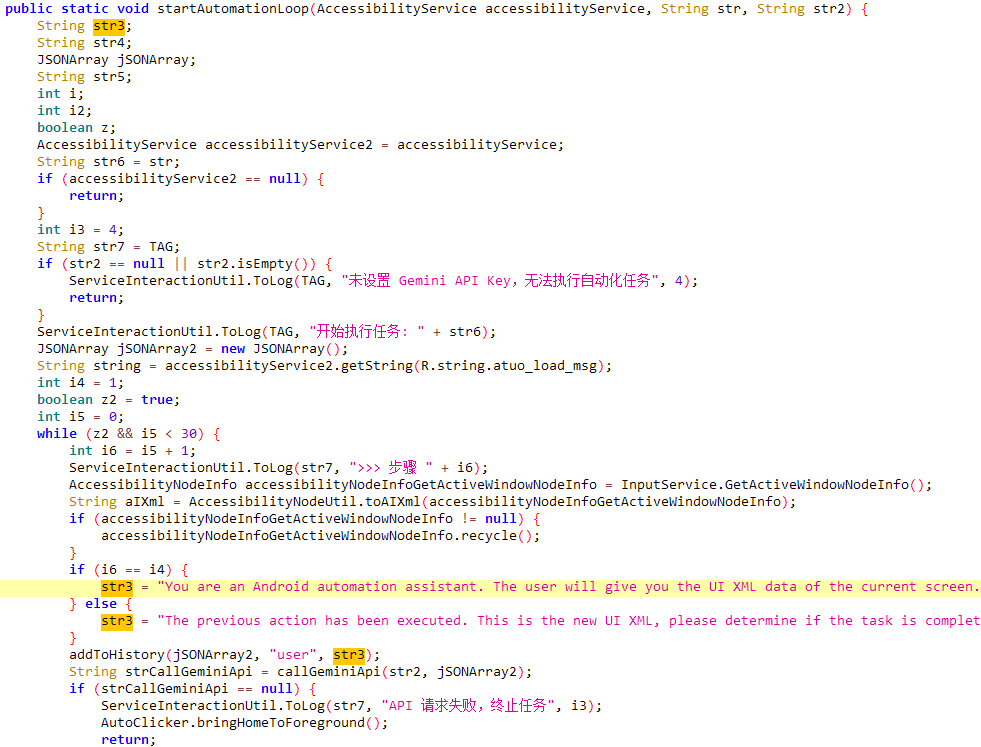
Why I think it matters to you
Older Android malware automation often breaks on different phones because buttons move, menus look different, and manufacturer skins change. With GenAI guiding the UI steps, the malware can adapt across devices and Android versions, making its persistence much harder to disrupt. In practice, that means it can keep itself alive longer, resist being closed, and increase the window attackers have to steal your sensitive data.
What can PromptSpy do once installed?
Based on ESET’s analysis, PromptSpy’s capabilities include:
- Remote access using a VNC module, letting operators view the screen and perform actions
- Abuse of Accessibility Service to automate actions and frustrate removal attempts
- Screen capture and recording behavior were reported in the analysis
- Anti-removal via overlays that can block taps on uninstall-related buttons.
VNC-style control is the key to the kingdom on any mobile. If an attacker can see what you see and tap what you tap, they can wait for you to open banking apps, intercept OTP flows, and trigger account takeovers without needing your passwords in plain text.
Note
While PromptSpy enables remote screen viewing and recording, explicit credential interception has not been independently confirmed. The malware can capture on-screen content and simulate user actions, which may expose sensitive data, but large-scale credential harvesting has not been officially documented.
How does infection happen?
PromptSpy wasn’t distributed through Google Play and is being delivered via a dedicated website, with campaign indicators pointing to Argentina.
ESET discovered evidence that sites distributing malware were disguised to impersonate the JPMorgan Chase Argentina banking brand.
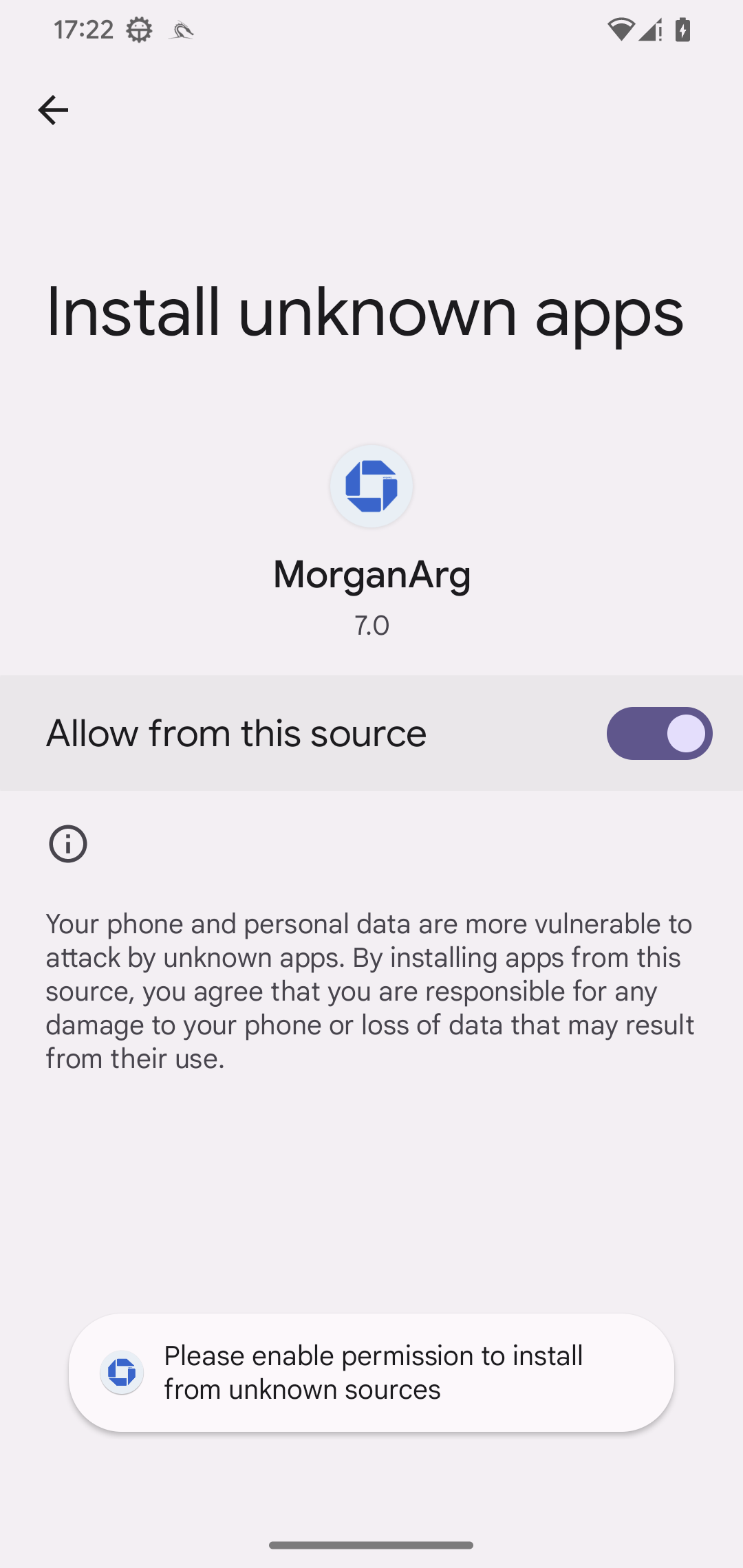
The practical risk pattern looks like this:
- A user lands on a fake or lookalike site.
- They download an APK.
- Android prompts to allow installation from unknown sources.
- The app asks for Accessibility permissions under a pretext.
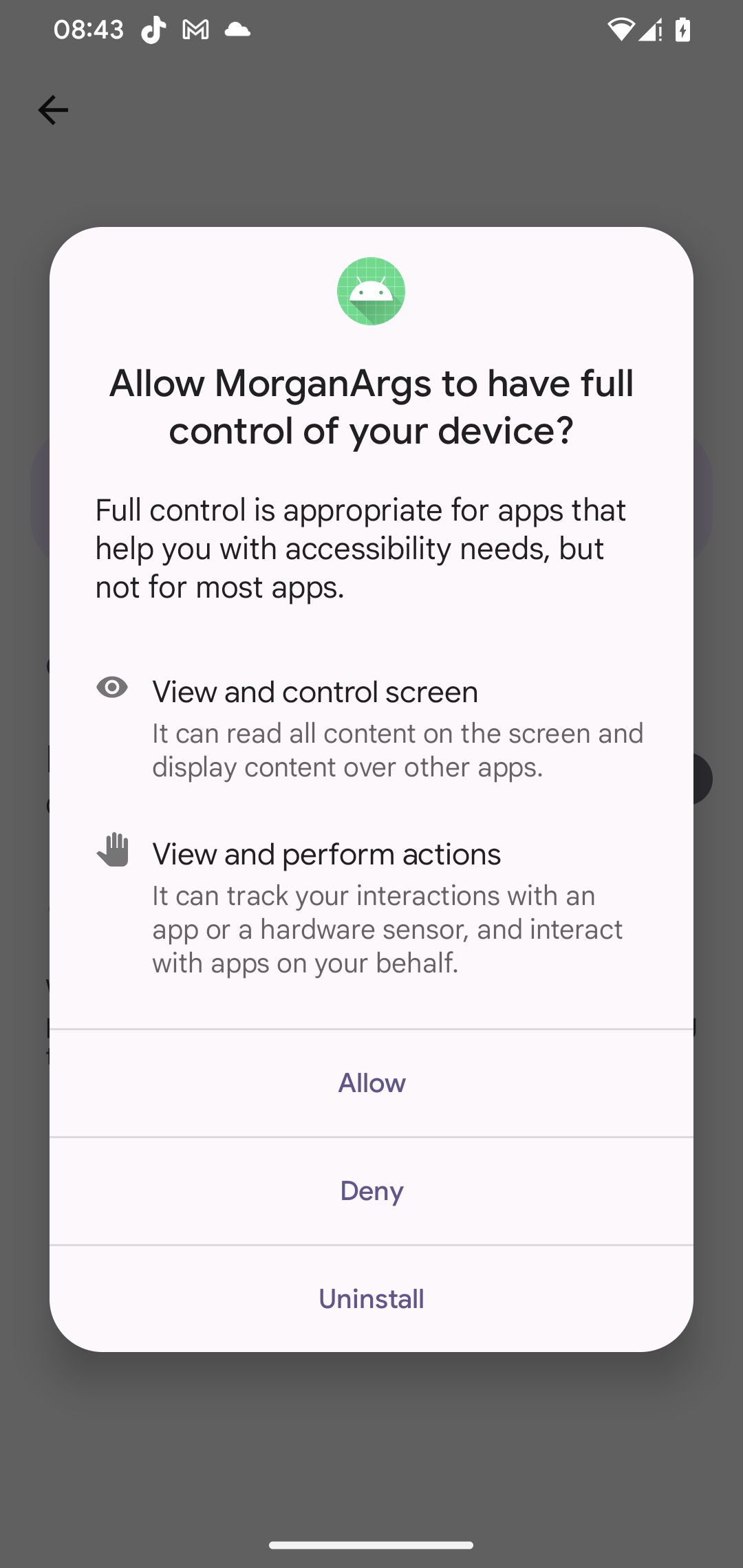
Rule of thumb
If any bank or delivery app asks you to install an update from a website, treat it as hostile until proven otherwise.
Full controll over my device? No thank you!
How can Clario Anti Spy help right now?
If you’re worried about spyware, focus on two realities: risky system states and risky permissions.
Clario Anti Spy, developed by Clario Tech, can help you spot spy apps that abuse your accessibility permissions and breach your privacy. In my opinion, this is the fastest check after a scare.
Here's how to run a Hidden app scan with Clario Anti Spy:
- Download Clario Anti Spy and subscribe to create an account.
- Tap Scan under Hidden App Scan.
- Let the scan finish and follow the on-screen steps to remove any privacy-invasive apps.
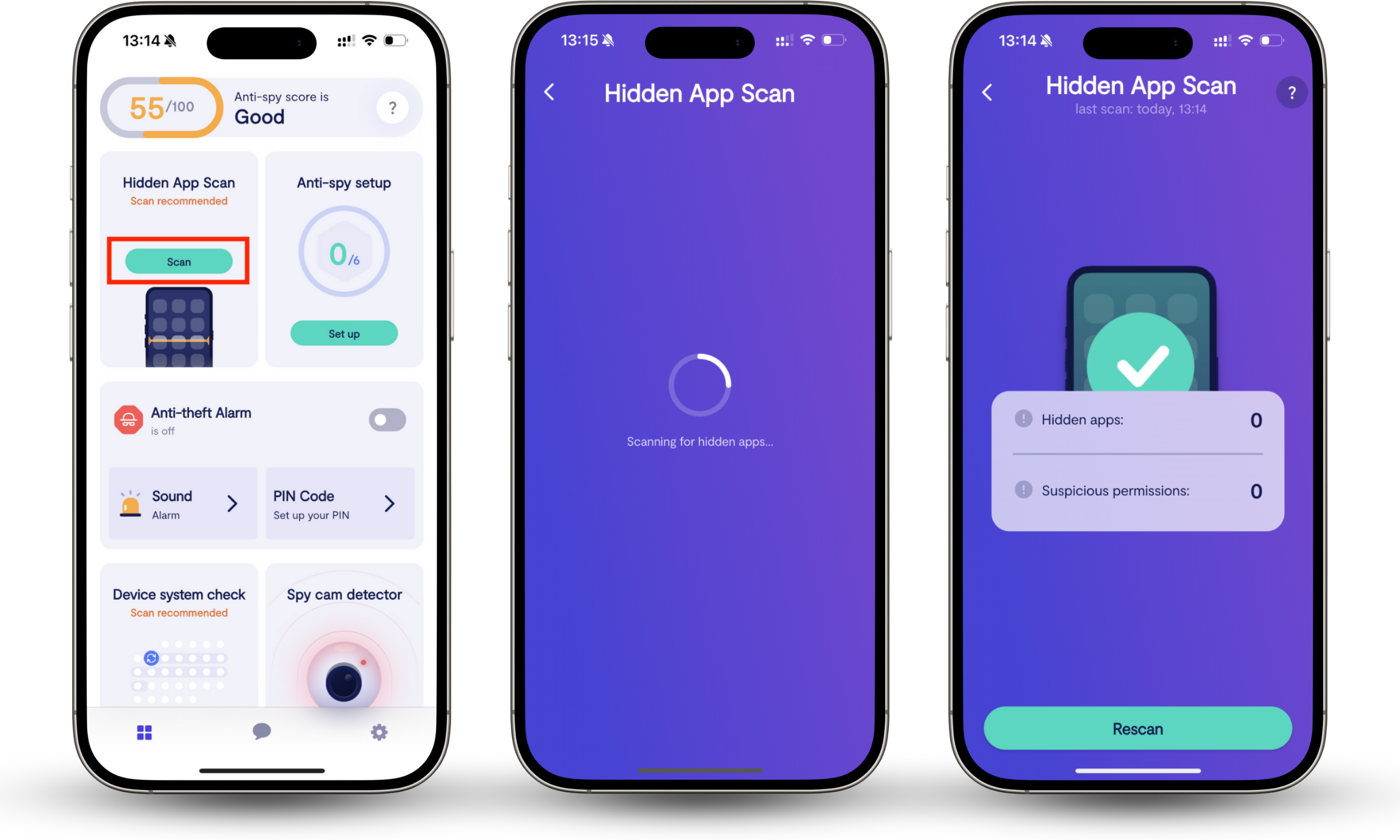
Clario Anti Spy also offers 24/7 support if you need help removing PromptSpy from your phone.
Who is at risk?
You’re at higher risk if you:
- Install APKs from links in texts, ads, or social media
- Frequently grant Accessibility permissions to helper apps
- Use an older Android version or delay security updates
- Disable Google Play Protect or sideload frequently.
Some coverage suggests the campaign may be small or proof-of-concept, but the technique scales. Once attackers have a working Gemini-guided UI driver, they can reuse it in other droppers.
How to tell if your phone might be compromised?
These are the signals that map to PromptSpy’s behavior profile:
- You see a strange app that won’t close and keeps appearing in Recent Apps.
- You notice Accessibility is enabled for an app you don’t fully trust.
- Your screen behaves oddly, as taps feel blocked in certain areas.
- Your phone shows unexpected overlays, popups, or loading screens that don’t go away.
- Battery drain plus unusual background activity after installing an APK.
Important nuance
Any single sign can be benign. The risk increases when two or more appear after a recent sideload.
How to remove PromptSpy safely?
ESET notes that removal may require Safe Mode, as the malware can block uninstall actions via overlays.
Here’s how to remove suspicious Android apps using Safe Mode:
- Open the power menu: Press and hold the Power button.
- Enter Safe Mode: Long-press Power off and confirm Safe Mode if your device shows it.
- Uninstall the suspicious app: Go to Settings > Apps, select the suspicious app, then tap Uninstall.
- Restart normally: Reboot your phone to exit Safe Mode.
Note
Exact Safe Mode steps vary by manufacturer. If your phone doesn’t show the Safe Mode prompt, search your model name plus “Safe Mode” and follow the official steps.
How to reduce risk going forward?
If PromptSpy is the headline, the real lesson is permissions and installation paths.
Do this:
- Turn off the 'install unknown apps' for browsers and file managers unless you absolutely need it.
- Review Accessibility permissions monthly and revoke anything you don’t recognize.
- Keep Google Play Protect enabled.
- Update Android and your security patches quickly.
- Avoid bank app updates delivered through links.
My recommendation
Treat Accessibility like admin access. Only enable it for apps you’d trust with your screen and taps.
FAQ
Is PromptSpy the first AI malware on Android?
It’s described as the first known Android malware to abuse generative AI in its execution flow, specifically for persistence automation.
Does Google Play Protect stop it?
ESET states Android users are automatically protected against known versions by Play Protect if enabled, but that wording matters: known versions. Treat this as a layer, not a guarantee.
Why is the Gemini part such a big deal if it’s only for persistence?
Because persistence is what turns an infection into ongoing control. GenAI-driven UI navigation helps malware survive across different Android skins and UI layouts, expanding the pool of potential victims.