Table of contents
- 1. Using unofficial streaming services
- 2. Using torrent services
- 3. Using copyrighted images
- 4. Sharing passwords, addresses, or photos of others
- 5. Bullying and trolling
- 6. Recording a VoIP call without consent
- 7. Faking your identity online
- 8. Using other people’s internet networks
- 9. Collecting information about people younger than 13
- 10. Extracting audio from YouTube
- 11. Illegal searches on the internet
- How to keep yourself out of trouble
- 1. Limit the information you share
- 2. Create strong passwords
- 3. Browse in incognito or private mode
- 4. Use a Virtual Private Network (VPN)
- Conclusion
The internet is a huge part of our everyday lives, so the same rules apply online as they do offline — be nice and abide by the law.
To make sure you don’t get yourself into a sticky situation, we’ll go over some of the illegal things you do on the internet that are quite common but may lead to unwanted consequences. In addition to that, we'll cover the best ways to protect yourself online.
You probably cannot imagine modern life without watching a movie online or sharing some information, like photos or addresses, with people you know. Some of these innocent things can still be illegal; let’s take a closer look at what can get you in trouble.
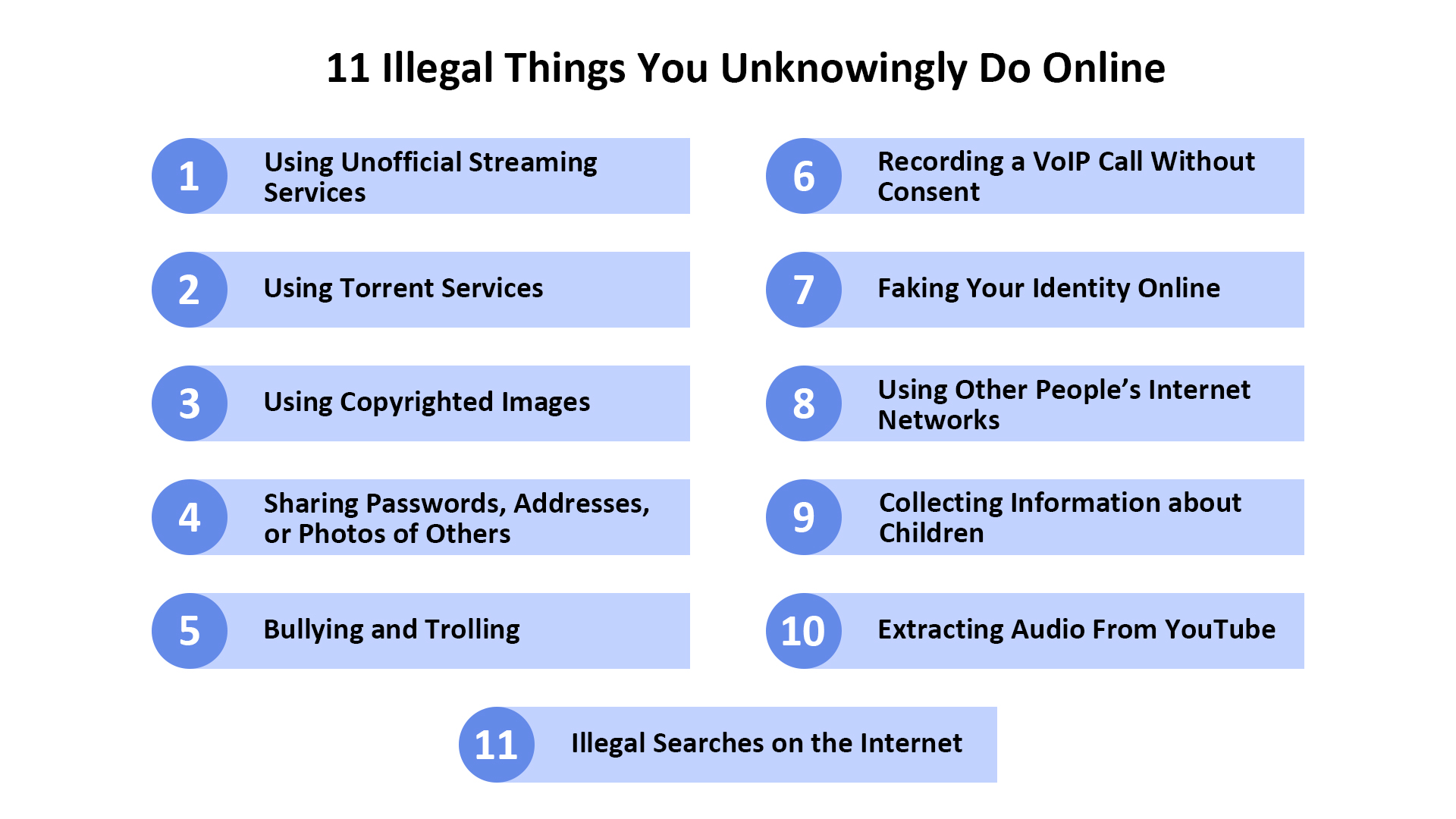
1. Using unofficial streaming services
Many people ask, “What is illegal to watch on the internet?” Well, unofficial streaming services are illegal, so it is against the law to watch movies, TV shows, music videos, or premium sports content online for free. They can be dangerous, too. If they’ve stolen film content from production companies, what would stop them from stealing your personal data as well?
In case you were wondering, “Is streaming movies online illegal for me?” The answer is obvious: streaming movies is considered a copyright violation; thus, you can be sued.
Pro tip
Before watching a movie or TV show online, always double-check the legitimacy of the platform. A quick Google search or review check can often tell you if a site is authorized to stream content. Be wary of platforms offering free access to popular movies or sports events, as they may not only expose you to legal risks but also to dangerous malware. Stick to well-known services like Netflix, Hulu, or Amazon Prime for safe, legal entertainment.
2. Using torrent services
Torrent services are yet another way for users to get pirated copies of movies and music. Through torrents, copyrighted material can be accessed without paying for it, which is unfair to its creators and also illegal. Most music and films are subject to copyrights owned by the people who created them.
3. Using copyrighted images
Despite popular opinion, unless it’s in the public domain, any image or photo on the internet has an owner — photographers, corporations, and other creators. This means you can’t use these images for personal or commercial purposes without due permission, payment, or attribution.
4. Sharing passwords, addresses, or photos of others
Are you wondering whether it is illegal to post someone's address online? Yes, it is, if it happens on a public forum without their knowledge and/or with the intention to harm them.
Is it illegal to take a picture of someone and post it on the internet? Yes, if you're on private property that isn’t yours. As for public places, you don’t need consent for taking a picture and posting it online in such a setting. However, it’s more polite to ask for consent anyway.
5. Bullying and trolling
Cyberbullying and trolling are both widespread phenomena now that a greater number of people have access to smartphones and the internet. However, apps now have the authority to take action against such individuals. There are several laws regarding cyberbullying, and usually, it’s treated as a civil matter but can sometimes turn into criminal offense charges and jail time.
6. Recording a VoIP call without consent
Voice over Internet Protocol calls (VoIP) use technologies such as business phone system that support the delivery of voice communication over the internet. The use of such technologies to film, record, or photograph any person or thing in secret is illegal. Thus, you should obligatorily obtain consent before recording.
7. Faking your identity online
Identity fraud by using someone else's information without their knowledge is a crime when the aim is to deceive people or defraud the person themselves. Using an inaccurate age for social media sites goes against the “terms of use,” and while not against the law, it is still dangerous and can potentially expose minors to decreased privacy.
8. Using other people’s internet networks
In most US states, there are no laws prohibiting such behavior, but then, no laws allow it either. However, using someone else's internet, which they solely pay for, without their permission is illegal because it’s essentially stealing. Borrowing someone else’s WiFi can be dangerous too.
9. Collecting information about people younger than 13
Gathering and using data about children under 13 (through surveys, etc.) violates the Children’s Online Protection Act and, without verifiable consent from parents/guardians, it’s 100% illegal.
On the same note, is it illegal to lie about your age online? If you lie about your age to get onto a website intended for adults, you’re most likely to be blocked if someone reports you. Though some websites requiring personal data may not really need it, children may be exposed to some illicit content if they lie about their age.
10. Extracting audio from YouTube
According to YouTube’s terms of service, copyrighted content can’t be downloaded or ripped without explicit permission from the content owner. In US copyright laws, extracting audio for personal use is simply not advisable.
11. Illegal searches on the internet
Few people know that some Google searches may be illegal. Here are some FAQs you should get familiar with to stay safe while surfing online:
- Can a Google search be illegal? Yes, some terms are illegal to Google, and your activity after these searches can be monitored by the authorities.
- What is illegal to search on the internet? What is illegal to type into Google? Some search terms that can land you in jail include child pornography, hiring a criminal, and other questionable terms (e.g., bomb-making).
- Does Google report illegal searches? No, but it has algorithms in place to prevent you from seeing the results of illegal internet searches.
How to keep yourself out of trouble
Fortunately, there are ways to make sure you’re covered in case you step into something illegal online. The following safety measures can help keep you secure.
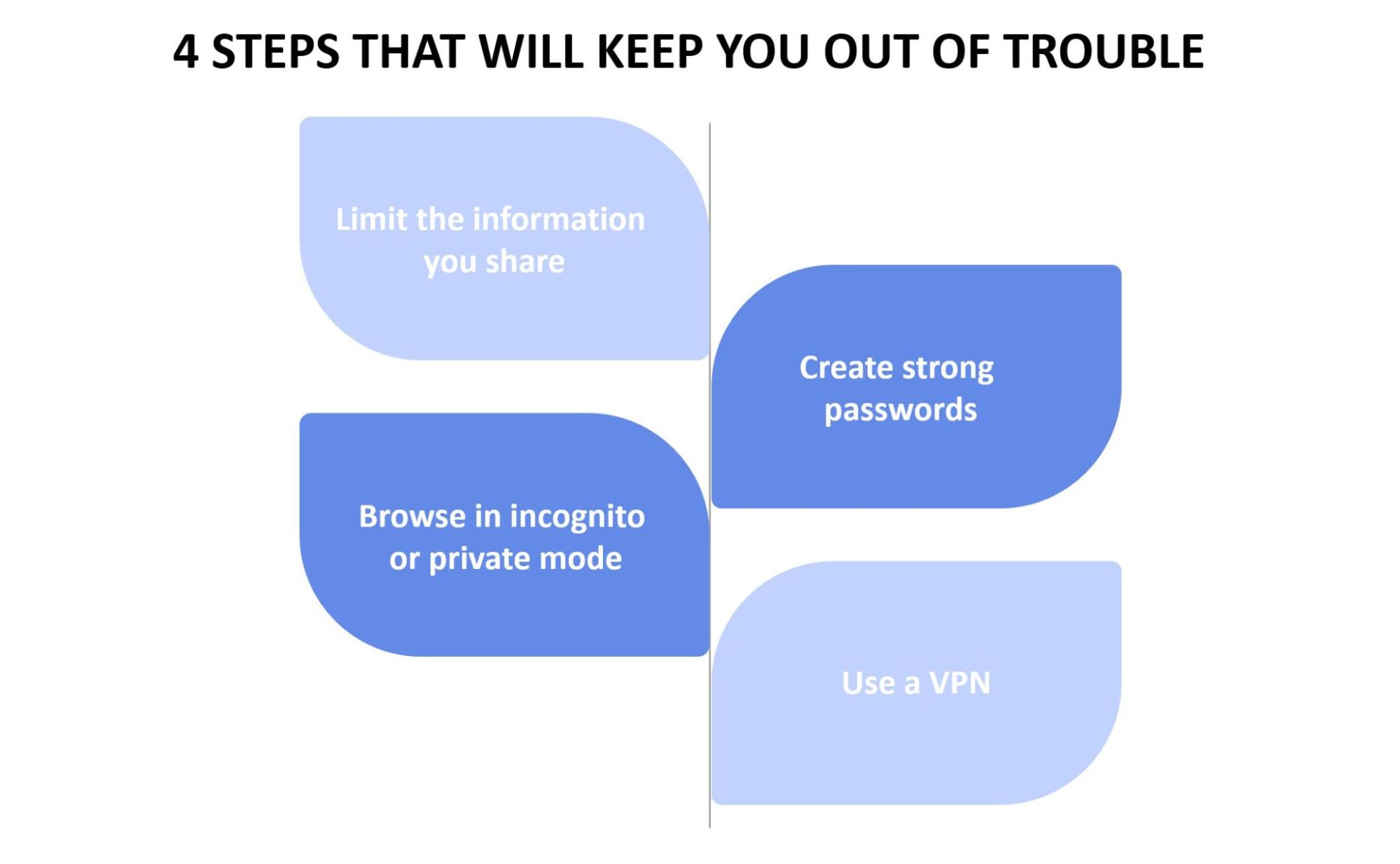
1. Limit the information you share
Avoiding oversharing on social media is the number one way to protect your information from cybercriminals. Using your real name and age is fine, but putting up personal pictures or giving out your address or any other contact information can be dangerous. This could potentially lead to criminals stealing your identity and committing cybercrimes on your behalf.
2. Create strong passwords
Weak passwords are easy to guess and even easier to hack. One of the threats is that an attacker may get remote control over your device, making it part of a botnet and thus involving you in illicit activities without you even knowing it.
Following these password guidelines to create strong passwords is your best bet against getting hacked:
- Create long passwords
- Use numbers and symbols
- Mix capital and small letters
3. Browse in incognito or private mode
Incognito mode doesn’t save your browsing history or cookies, so it’s a fairly safe and private way to browse the internet. However, the authorities can still track your web activity while browsing in private mode, especially if it appears to be illegal.
Another option is using the Tor browser to surf the web anonymously, though it may provide some limited opportunities online.
4. Use a Virtual Private Network (VPN)
A VPN uses encryption to create a secure private network from a public connection, giving you complete online anonymity.
By using a VPN, you can protect yourself from something illicit or controversial. Imagine accidentally looking at illegal material on the internet but realizing it too late. It is normal not to have a clear idea of what Google searches are illegal. In any case, a VPN will be able to hide your:
- location and IP address
- browsing history
- web activity
- devices
- location for streaming
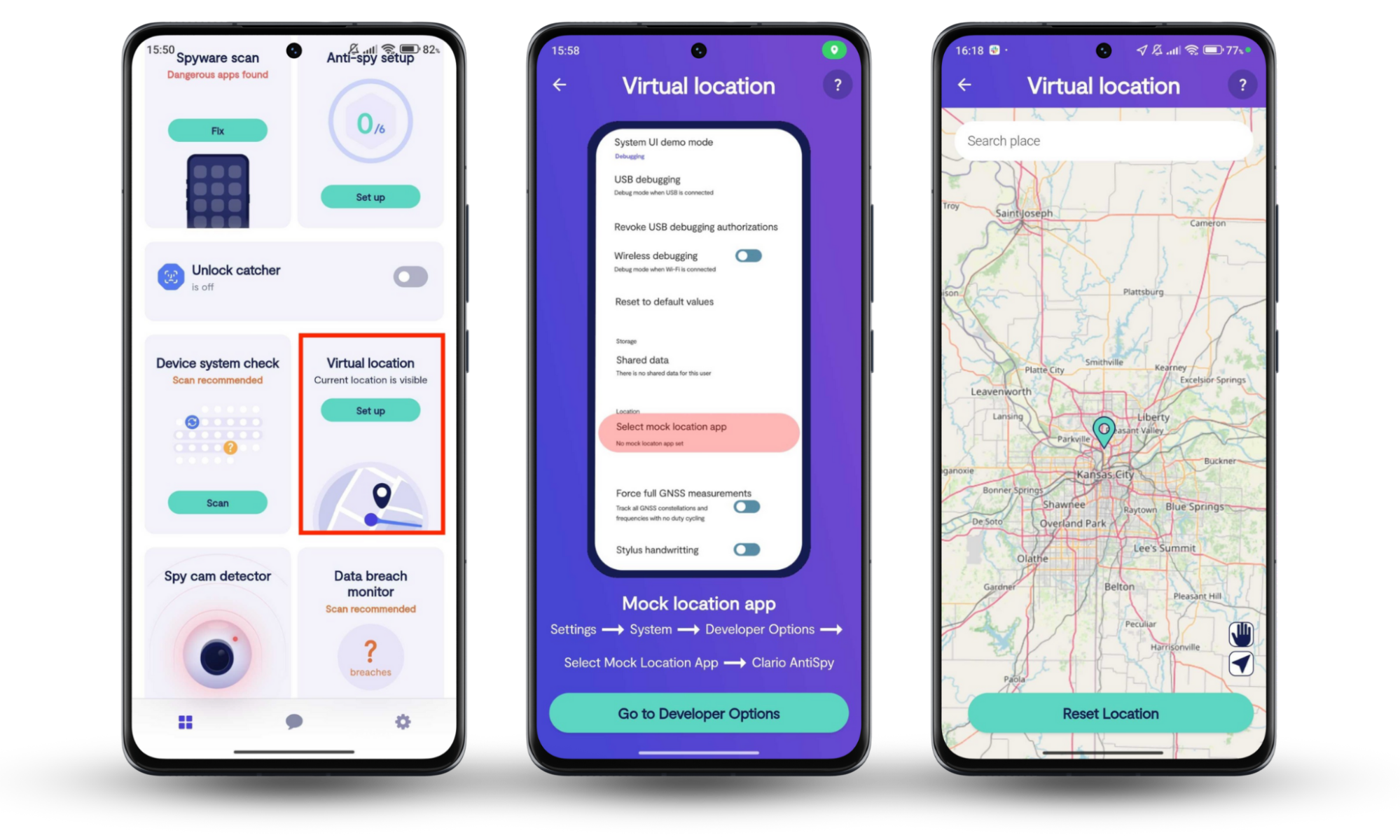
Clario Anti Spy's Virtual location for Android offers an extra layer of protection. It not only secures your connection but also helps you stay completely anonymous online. Whether you're browsing, streaming, or interacting with sensitive websites, Virtual location ensures that your IP address is masked, your online activity is encrypted, and your devices stay protected from prying eyes. With Clario Anti Spy, you can enjoy private and secure browsing without the fear of being tracked or exposed.
To use Clario Anti Spy’s Virtual location tool on your Android phone, do this:
- Download Clario Anti Spy on your Android device, get a subscription, and set up your account.
- Once you’re inside the app, tap Set up under Virtual location.
- Now follow the on-screen prompts to reset your location, choosing your preferred one on the map.
Conclusion
Just because certain activities are common, this does not mean they're not illegal things to do on the internet, so you should make an effort to stay safe online. Keeping personal information off the internet, creating strong passwords, or using a private browsing mode are great ways to achieve that. Additionally, using Clario Anti Spy’s Virtual Location feature allows you to mask your real GPS coordinates, ensuring your whereabouts stay private and safe from prying eyes.
Read more: