Table of contents
- What makes a strong password?
- Idea 1. Birthday of a boss you hate
- Idea 2. A song you love to sing in the shower
- Idea 3. A painting you love but do not fully understand
- Idea 4. Quotes to help you stop procrastinating
- Idea 5. Words you use when you spill your coffee
- Nailed it: Password management
- Additional steps to protect your passwords
- Conclusion
On May 7, we celebrate World Password Day. This occasion is a great chance to enhance the complexity and strength of online security measures which often remain weak - our passwords.
Creative password ideas are memorable phrases, personal references, or word combinations that produce long and unique passwords. Strong passwords typically contain at least 12–16 characters and avoid predictable patterns like names, birthdays, or common sequences. Using passphrases inspired by songs, quotes, or memorable experiences can make passwords both more secure and easier to remember.
As many as 83% of Americans still use passwords that are far too easy to crack. Worryingly, obvious options including 123456, qwerty, and password are still on the list of the most popular. But the majority of users try to be original … going for their own name, the name of a family member or a pet, followed by birthdays, words related to hobbies, people’s home addresses and more.
If your passwords fall within any of the categories above, you should change them immediately. Or, if it’s easier for you to remember, you could always call your dog B1gLeBoWoW$k1%539.
Jokes aside, there are many ways to create truly secure and unique passwords. If you are sick and tired of hearing obvious tips from Captain Hindsight, the Clario team has collected some of our most original ideas together to help inspire you. So, let’s get creative. As long as you can remember it, then anything goes...
What makes a strong password?
A strong password is a long, unique combination of characters that is difficult for attackers or automated tools to guess. Security experts generally recommend passwords that are at least 12–16 characters long and include a mix of letters, numbers, and symbols. Even better, many modern security guidelines encourage using passphrases — longer, memorable combinations of words — because they are both easier to remember and harder to crack.
Strong passwords typically include several important characteristics:
- Length: longer passwords dramatically increase resistance to brute-force attacks
- Uniqueness: every account should use a different password
- Unpredictability: avoid obvious patterns like names, birthdays, or simple sequences
- Mixed character types: uppercase letters, lowercase letters, numbers, and symbols improve complexity
- Memorability: passwords should still be easy enough for you to remember without writing them down in insecure places
Important to know
Even a complex password can become unsafe if it is reused across multiple websites or exposed in a data breach. Using unique passwords for every account is one of the most effective ways to reduce this risk.
Idea 1. Birthday of a boss you hate
Using memorable dates can help create passwords that are easy to remember but still reasonably strong when combined with additional characters. A date connected to a personal memory, such as the birthday of someone you once worked with, can serve as a starting point for a password. To improve security, the date should be mixed with words, capitalization, or symbols instead of being used alone.
Face it, probably everyone gets a chance to work with a boss who’s really tough at least once in their lifetime. Managers who set impossible deadlines, arrive late to meetings, never listen attentively enough, and just drive you up the wall.
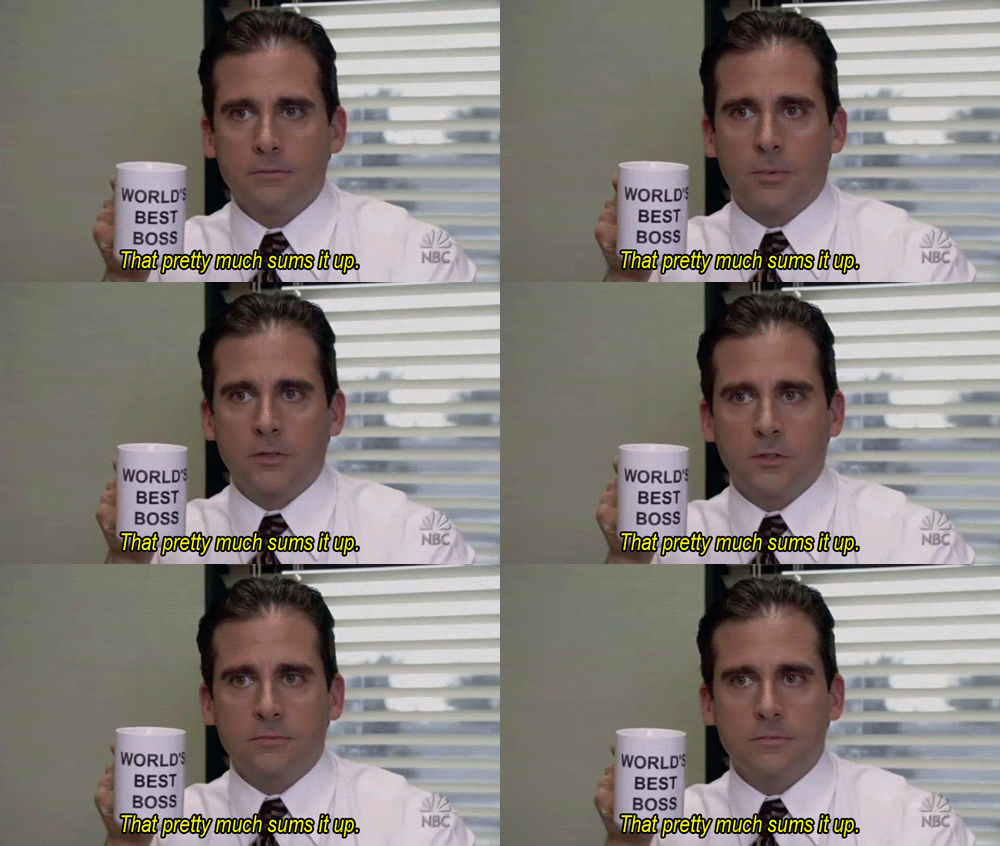
As crazy as they make you feel, you could set up this boss’ birthday date as your password. It’s a strange tribute to someone you’ve never liked but will never forget. Even if it’s for all the wrong reasons.
How to turn a memorable date into a stronger password:
- Combine the date with a word or name connected to the memory
- Use a mix of uppercase and lowercase letters
- Add a symbol or punctuation mark
- Avoid using the plain date format alone
For example, instead of using a simple numeric date, combine the memory with characters and symbols to make the password longer and less predictable.
Pro tip
For the love of all things cyber, be sure to avoid only using numbers in your password, especially if they are sequential. For a perfectly secure password, go for a mix of uppercase and lowercase letters, numbers, and a symbol or two. Something like Johanna17081975! will work way better than just a date of birth.
Idea 2. A song you love to sing in the shower
Using song lyrics as inspiration for passwords can create long and memorable passphrases. A line from a favorite song is often easy to recall but difficult for attackers to guess, especially when spaces are removed and characters are combined creatively. Longer phrases built from lyrics can significantly increase password strength compared to short or predictable passwords.
Admit it. You’ve belted out an Elvis Presley classic (at least) once or twice while lathered up in the shower.
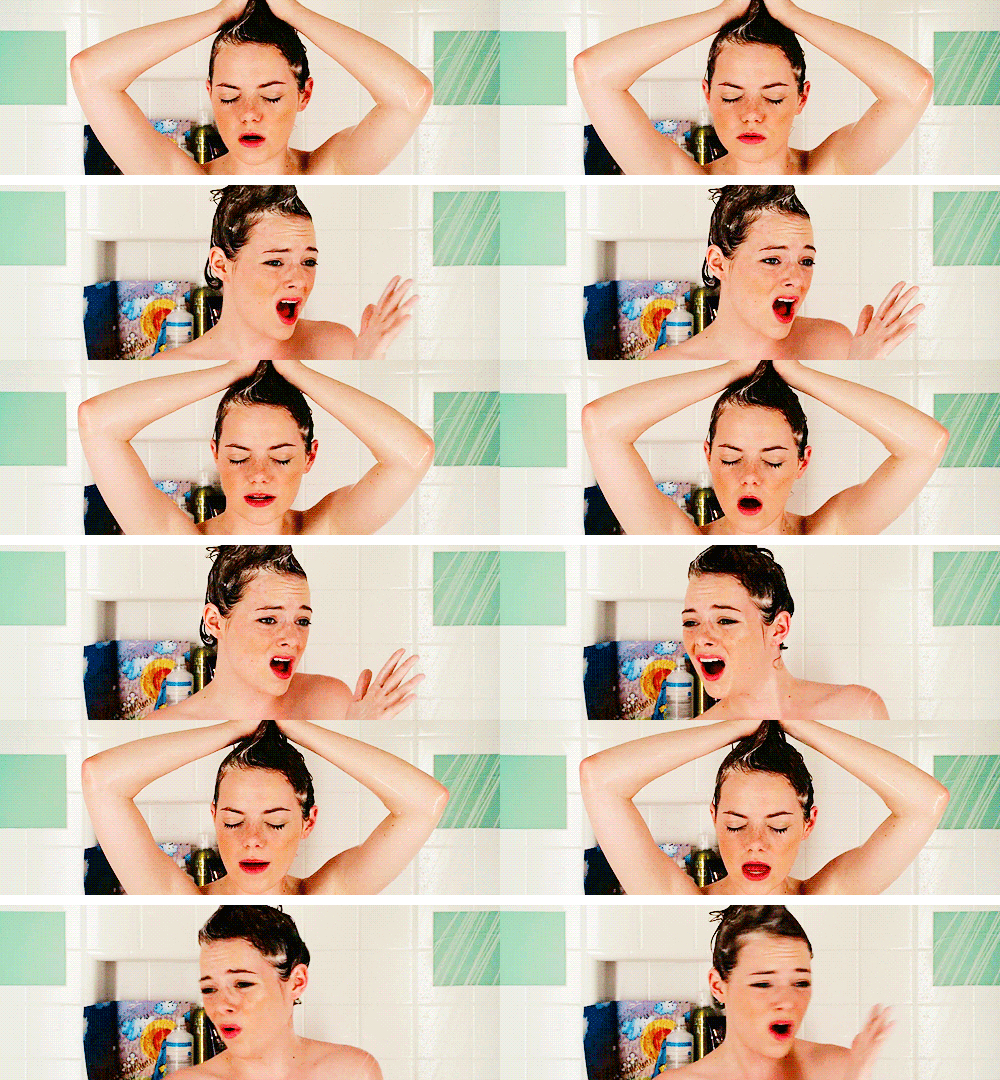
Listening to music is a simple pleasure, especially if you have a great bath time playlist to sing, nod or blow bubbles along with. No matter what you’re grooving to - be it a roof raising club hit or a bizarre indie pop tune - just sing your heart out. After all, who needs a stage when you have the shower?
If there is a particular song that has a special place in your ears and your heart, then why not use it as your password? Do you have too many songs to choose from? Even better. The more chance you’ll choose something hackers will never select.
How to turn song lyrics into a stronger password:
- Choose a line from a song that is meaningful to you
- Remove the spaces between the words
- Mix uppercase and lowercase letters
- Add punctuation or numbers if needed
- Avoid using extremely short or widely known phrases
Pro tip
When Millennials and members of Gen Z use the same password for up to 20 accounts, it’s good practice to avoid making this number even higher. Be sure to pick as many songs as you like and turn them into different secure passwords. Just look how original and fun they can be (try not to sing when you read our options): INeedADollarADollarIsAllINeed, WeAllLiveInAYellowSubmarine, MammaMia!HereWeGoAgain
Idea 3. A painting you love but do not fully understand
Using the title of an artwork as inspiration for a password can create a long and unusual phrase that is difficult to guess. Many paintings and creative works have distinctive names that combine unexpected words, which increases password unpredictability. When shortened or slightly modified, these titles can become memorable passphrases that are both unique and relatively strong.
We all have definitions of what’s beautiful and what’s awkward or at least challenging to comprehend.
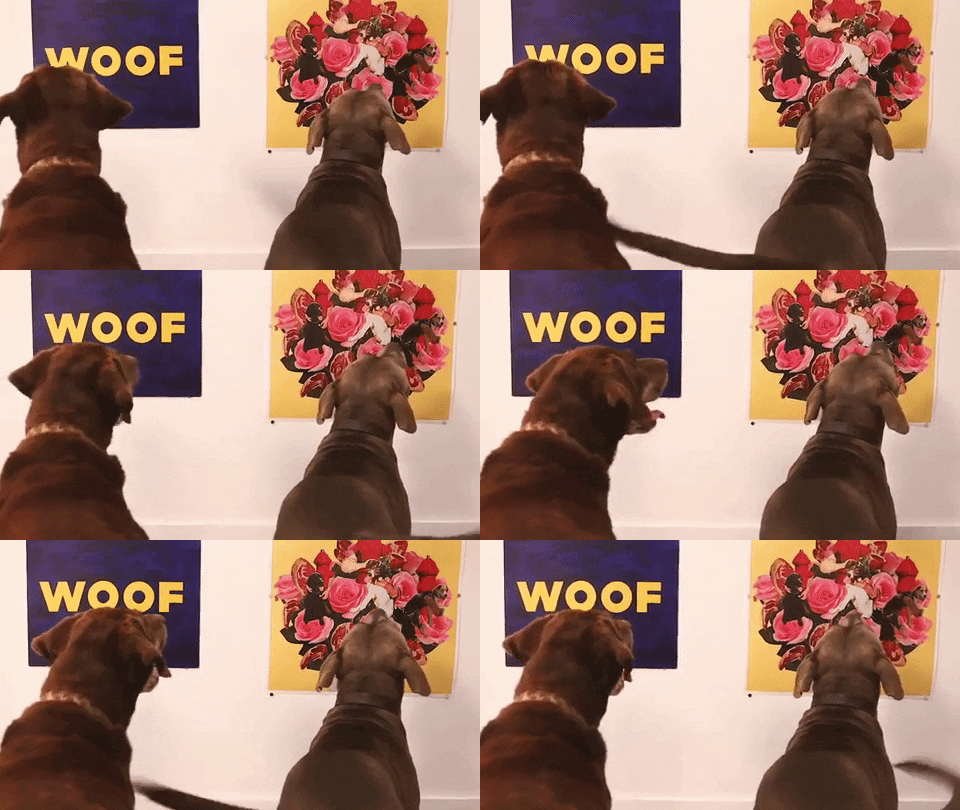
But artists of all types sometimes take any definition of awkward to a whole new level. Some express them in paintings, others in design, pen, sculpture, and ink. Some become incredibly famous, others don’t. They are all different, but what makes them the same is … the originality of the names they give to their artworks.
Why unusual phrases make stronger passwords:
- They contain unexpected word combinations that attackers are unlikely to guess
- They are often longer than typical passwords, increasing resistance to brute-force attacks
- They usually do not appear in common password lists used in automated cracking attempts
- They are easier to remember because they reference something meaningful
Using a phrase that is personally memorable but uncommon online helps create a password that balances security and memorability.
For example, take the great surrealist Salvador Dali. While some of his paintings are incredibly rich in meaning, they are also rich in symbols and words. The names of some of his creations consist of more than 94 characters(!), meaning they could make up perfect, uncrackable passwords.
Pro tip
Inspired by Dali’s paintings, you could come up with a password as long as DreamCausedByTheFlightOfABeeAroundAPomegranateASecondBeforeAwakening … but we’d advise you not to go that far. The perfect password length is 16 characters, so try to keep your combination around this limit. Dali’s FigureOnTheRocks is a perfect fit.
Idea 4. Quotes to help you stop procrastinating
Short quotes and motivational phrases can be turned into memorable passphrases that are both easy to remember and difficult for attackers to guess. Because they contain multiple words, passphrases are typically longer than traditional passwords, which significantly improves their resistance to automated cracking attempts. Using a quote that is meaningful to you can therefore strengthen both password security and memorability.
When we find ourselves scrolling through our Facebook feed, playing a video game or simply putting off whatever needs to be done immediately - we feel bad. Incredibly bad.
Often, procrastination doesn’t do much other than leaving us with an increasingly unmanageable to-do list; it’s quite heavy on the mind. To light a fire under your backside and push you to finish the unfinished, pick a short motivational quote and make it a password. Not only will it enhance the security of your online accounts, but it will also serve as a little extra kick to help you get back to work quickly.
How to turn a quote into a secure passphrase:
- Choose a short quote or phrase that you personally remember easily
- Remove spaces or combine the words into a single phrase
- Use uppercase letters to highlight certain words
- Add punctuation or numbers to extend the length
- Avoid using extremely famous quotes exactly as written
Longer phrases made of several words are generally harder for automated tools to guess than short passwords made of random characters.
Pro tip
Using passphrases instead of passwords is a great security practice and helps you increase your chances of surviving a dictionary attack. So go for your favorite motivational quote, like ICanAndIWill or WhateverYouDoDoItWell. It should help you feel more secure, and hopefully more motivated.
Idea 5. Words you use when you spill your coffee
Unexpected words or phrases that come to mind during everyday situations can become surprisingly strong password ideas. Because these expressions are personal and often spontaneous, they are less likely to appear in common password lists used by attackers. When several words are combined into a longer phrase, they can form a memorable passphrase that improves both password strength and memorability.
Have you ever spilled your coffee? Got in a Facebook argument? Failed to connect to Wi-Fi? Then you know the words we’re talking about. The majority of us aren’t saints when it comes to the use of swear words, especially in stressful situations.
So don’t beat yourself up whenever those spiky little gems come out of your mouth.
As it turns out, swearing has more benefits than you could ever imagine. From increasing empathy to reducing physical pain and helping us deal with rage - the list goes on and on. But since we are all about online security here, we bet using swear words in your passwords and phrases may also enhance your online security from hackers.
How to turn everyday phrases into stronger passwords:
- Combine several words into a longer phrase
- Use a mix of uppercase and lowercase letters
- Add punctuation marks or symbols between words
- Extend the phrase with an extra word or number
- Avoid using very short or predictable expressions
Longer phrases built from multiple words are often easier to remember than short complex passwords while still providing strong security.
Pro tip
If you’re going to get creative and substitute those linguistic hand grenades with symbols, you’re better off skipping that step. For hackers, it does not really matter what combination you use - be it DOORBELL or D00R8377 - brute force attackers may crack both as easily.
Now that you have so many ways to generate multiple strong and unique passwords, don’t rush to write them in your notebook. We’ve got a better way of helping you remember.
Nailed it: Password management
A password manager is a security tool that stores and manages login credentials in an encrypted digital vault. Instead of remembering dozens of different passwords, users only need to remember one master password to access the manager. Most password managers can also generate strong, unique passwords for each account, helping reduce the risks associated with password reuse.
We all know there is a tradeoff between password security and memorability.
To improve this situation, investigate the potential of password managers. They do all the remembering for you, except for one tricky thing: the master password to the tool itself. This is the only thing you have to remember (and yes we permit you to write it down, if you wish).
Password managers can even generate super complex password combinations that are more difficult to crack than any alternatives we may come up with. But if you want to keep your passwords fun and make online security enjoyable - you can always use song lyrics or swear words instead.
What password managers typically do:
- Generate long, random passwords that are difficult to guess
- Store login credentials securely in an encrypted vault
- Automatically fill in usernames and passwords when logging in
- Sync credentials across multiple devices
- Alert users if stored passwords appear in known data breaches
By creating unique passwords for every account, password managers help reduce the damage that can occur if one password becomes compromised.
Important to know
The security of a password manager depends heavily on the strength of the master password and the security of the device being used. Choosing a long and unique master password is essential, because it protects access to all stored credentials.
Modern cybersecurity guidelines increasingly recommend using longer passwords or passphrases instead of short complex passwords. For example, widely recognized security frameworks such as the NIST Digital Identity Guidelines and OWASP authentication guidance encourage the use of long, unique passwords and discourage password reuse across multiple accounts.
Additional steps to protect your passwords
Even strong passwords benefit from additional security measures. Cybersecurity experts recommend combining unique passwords with protective tools such as two-factor authentication, secure internet connections, and malware protection. These safeguards add extra layers of defense that help protect accounts even if a password is exposed in a data breach or intercepted on an insecure network.
Essential practices for protecting your passwords:
- Enable two-factor authentication (2FA): adds an extra verification step when logging in
- Avoid logging into accounts on unsecured public Wi-Fi networks
- Use a Virtual Private Network (VPN) when connecting to public internet hotspots
- Install antivirus or anti-malware software to prevent credential-stealing malware
- Use unique passwords for every account to limit damage if one password is exposed
Even strong passwords can become vulnerable if they are exposed in a data breach. Monitoring whether your credentials appear in leaked databases can help you react quickly before attackers gain access to your accounts.
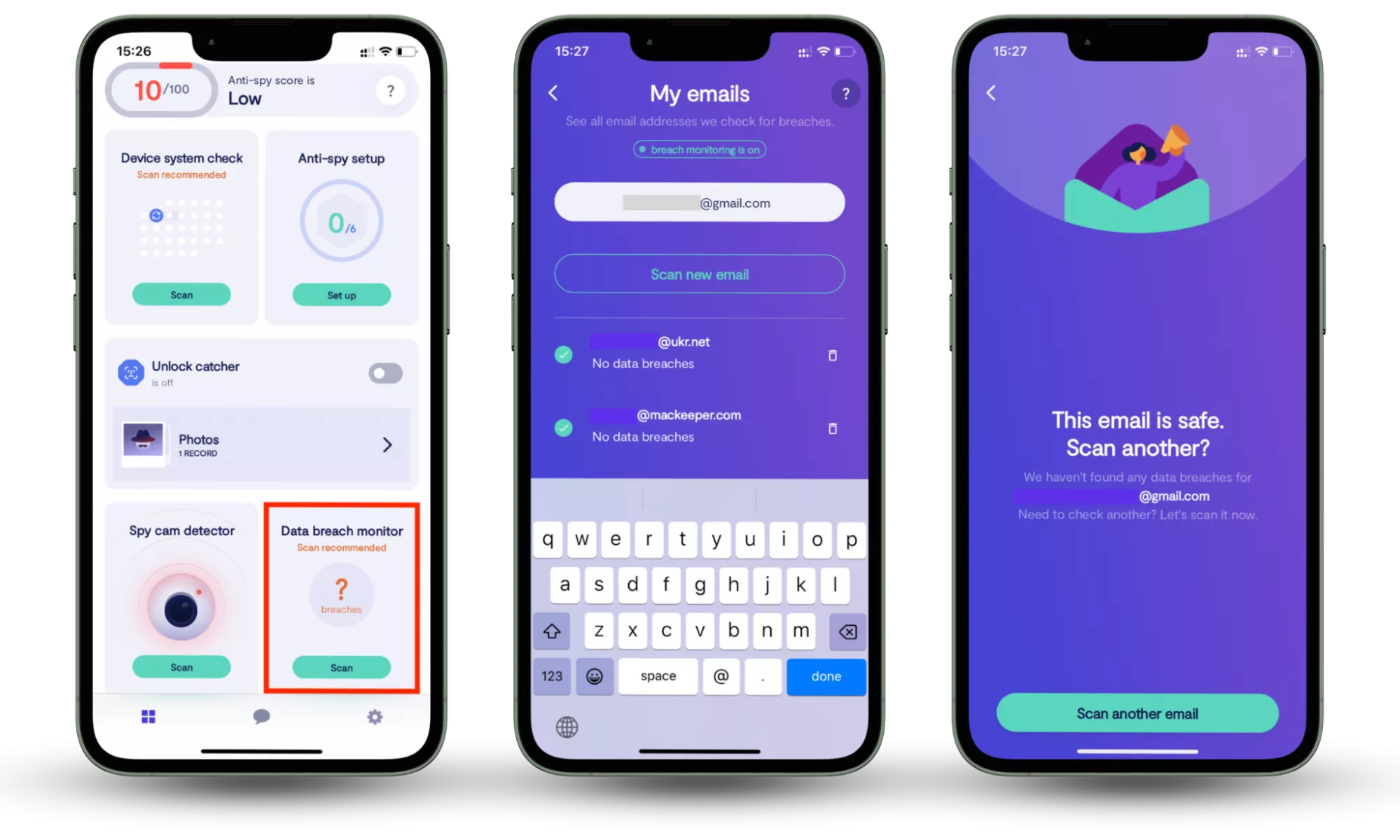
Tools like Clario Anti Spy include a Data Breach Monitor that scans your email addresses against known breach databases and alerts you if your personal data appears in a leak. This allows you to change compromised passwords immediately and secure your accounts.
Available on iOS and Android, Clario Anti Spy continuously monitors your accounts and notifies you if new breaches are detected, helping you stay protected from account takeovers and digital spying.
How to check whether your information is compromised:
- Download Clario Anti Spy.
- Open the app, and, under Data breach monitor, tap Scan.
- Enter your email address.
- When the scan is complete, follow the on-screen guidance to review any data breaches.
- Repeat the process for any other email addresses.
These additional layers of protection help reduce the risk of account compromise even when attackers obtain a password.
- For extra security, be sure to set up two-factor authentication - this is a way to keep your accounts secure even if bad actors happen to listen to the same song in the shower.
- Also, try to use a Virtual Private Network (or VPN), especially when you’re connected to a public Wi-Fi. This will prevent anyone from spying on you, your browsing activity, and your precious passwords.
- Last but not least - install antivirus, if you haven't done so yet. This will keep malware and other cyber threats off your scent, letting you enjoy living your digital life without any fears or worries.
Conclusion
Strong passwords are one of the simplest yet most effective ways to protect your online accounts. Choosing longer, unique passwords or memorable passphrases can significantly reduce the risk of unauthorized access. Creative ideas, whether inspired by songs, quotes, or personal memories, can help you build passwords that are both secure and easier to remember. You can also use tools like Clario Anti Spy’s Data Breach Monitor to check whether your email accounts appear in known data leaks and quickly secure compromised credentials.
So keep calm and choose your passwords responsibly. And for more protection, check out Clario Anti Spy.